Free Ovulation Calculator1.126
Publisher Description
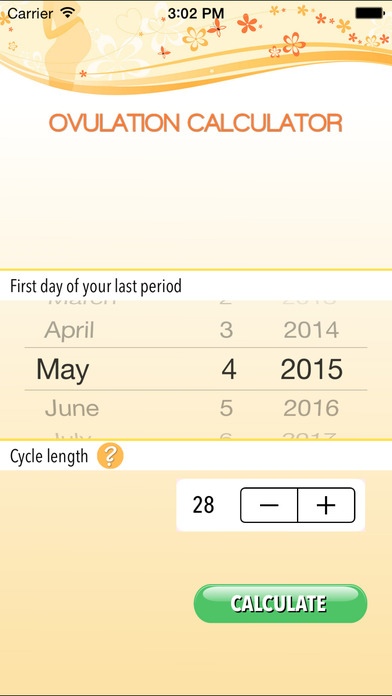
Are you longing for a baby and trying to get pregnant? The Ovulation Calculator can tip the odds of getting pregnant in your favor to help make your dreams a reality.
You have a small fertile window each month which usually starts 10 to 18 days after the first day of your period. This Ovulation Calculator App helps you quickly determine your most fertile days. It's amazingly easy:
- Step 1: Enter the first day of your last menstrual period
- Step 2: Enter the length of your menstrual cycle
The Ovulation Calculator instantly determines your six most fertile days in the current month and in each of the following four months. The results also include an estimated due date in case you conceive during that month.
Special feature:
- You can save the fertile days to your iOS Calendar.
Requires iOS 7.1 or later. Compatible with iPhone, iPad, and iPod touch.
About Free Ovulation Calculator
The company that develops Free Ovulation Calculator is Kulana Media Productions LLC. The latest version released by its developer is 1.126.
To install Free Ovulation Calculator on your iOS device, just click the green Continue To App button above to start the installation process. The app is listed on our website since 2015-03-12 and was downloaded 2 times. We have already checked if the download link is safe, however for your own protection we recommend that you scan the downloaded app with your antivirus. Your antivirus may detect the Free Ovulation Calculator as malware if the download link is broken.
How to install Free Ovulation Calculator on your iOS device:
- Click on the Continue To App button on our website. This will redirect you to the App Store.
- Once the Free Ovulation Calculator is shown in the iTunes listing of your iOS device, you can start its download and installation. Tap on the GET button to the right of the app to start downloading it.
- If you are not logged-in the iOS appstore app, you'll be prompted for your your Apple ID and/or password.
- After Free Ovulation Calculator is downloaded, you'll see an INSTALL button to the right. Tap on it to start the actual installation of the iOS app.
- Once installation is finished you can tap on the OPEN button to start it. Its icon will also be added to your device home screen.
